http://raid5.toolsforteaching.co.uk/
RAID 5 appears on the specifications for BTec Level 3, T-Level and NCFE Level 2 IT qualifications, but it is one of those topics that tends to stay abstract. Students can recite that RAID 5 uses parity and can survive one drive failure, yet have no real sense of how that works in practice. This tool is designed to change that.
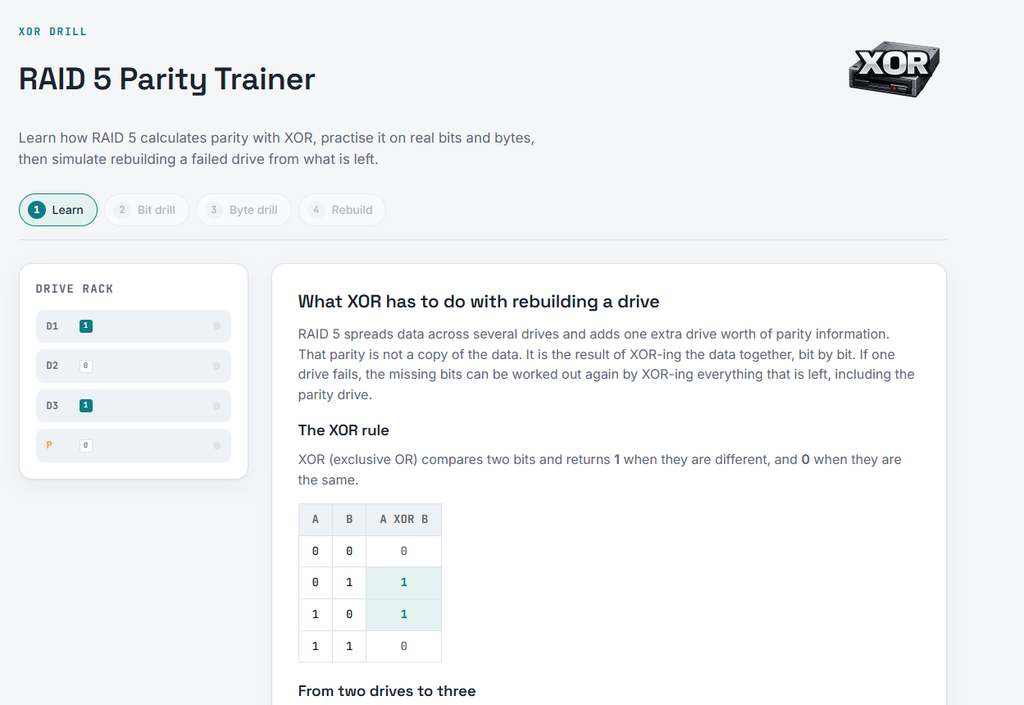
The app uses a four-stage approach that builds understanding step by step. Students start with a short explanation of the XOR operation, the simple “same returns 0, different returns 1” rule that sits at the heart of parity calculation. A worked example and a truth table anchor the idea before any practice begins.
From there, the activities get progressively more demanding. In the bit drill, students are shown three random data values and must calculate the correct parity bit themselves, repeating this across eight rounds until it feels automatic. The byte drill scales this up to full 8-bit values, working through each column in turn to build a complete parity byte. The final challenge simulates a real drive failure: one drive is removed from the array at random, and students must reconstruct it column by column using only the surviving drives. That last stage is where the concept clicks for most learners, because they can see the recovery process working with values they have already handled.
Throughout all stages, feedback is immediate. Students cannot move on with a wrong answer, but they are not left stuck either; the app simply prompts them to try the other value. A progress tracker and a streak counter give students something to aim at, and a persistent XOR reference card is available at any point for those who need a reminder. Progress is saved automatically, so the tool works equally well as a classroom activity or as independent revision between lessons. No accounts, no logins, no data collected.