https://raidtypes.toolsforteaching.co.uk
Understanding RAID turns one of the trickier storage topics on a Computer Science specification into something students can actually see happen, rather than just read about.
At its core is a hands-on simulator for each RAID level — 0, 1, 5, 6 and 10. Students click a disk to fail it and watch the array’s status change in real time: healthy, degraded, or data lost, depending on which disk and how many. Then they trigger a rebuild and watch it happen block by block, with the surviving disks visibly “contributing” the data used to reconstruct what was lost. It’s a predict-observe-explain structure built right into the interface: ask students what they think will happen before they click, then let the animation confirm or correct their prediction. That moment of surprise — realising a RAID 5 array can shrug off one failed disk but not two, or that RAID 0 loses everything the instant one disk dies — does more to embed the concept than a diagram ever will.
The app is deliberately structured as a lesson, not just a toy. Every RAID level has its own page with a plain-English explanation, the key stats a specification expects (minimum disks, usable capacity, fault tolerance, performance), pros and cons, real-world use cases, and a dedicated “teaching notes” panel — the explanations and framing you’d give verbally, written down so you can project it, set it as reading, or hand it to a cover teacher with confidence. An overview page ties all five levels together in a single comparison table, useful for the recurring exam theme of trade-offs: capacity versus speed versus protection.
One misconception gets deliberate, explicit attention: RAID is not a backup. The RAID 0 page includes a “restore from backup” control specifically to make this visible — even the most basic RAID level offers no way to recover data after a failure, only a separate backup can. This is flagged again in the teaching notes for every other level, so students don’t come away thinking redundancy equals safety.
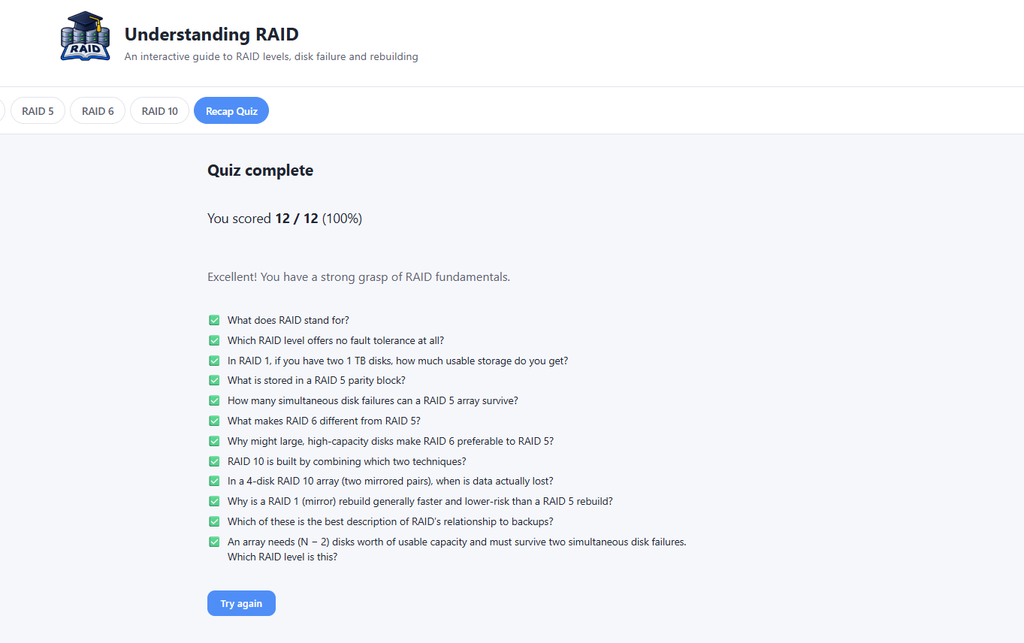
A 12-question recap quiz closes the loop, with instant feedback and explanations on every answer, plus a final score and review screen — ready to use as a plenary, a homework check, or a quick formative assessment before moving on.
Practically, it needs nothing from your IT department: it runs entirely in the browser, with no account, no student data collected, and no backend. Teachers comfortable with a terminal can run it locally or build it as a static site for a school VLE; everyone else can simply open it on a classroom machine or projector. All interactions are keyboard-accessible and never rely on colour alone, so it works for mixed-ability and SEND classes without adaptation.
It suits GCSE and A-level Computer Science, T Level Digital, and any introductory infrastructure or cybersecurity unit where disk redundancy comes up. Free to use and adapt for teaching under CC BY-NC-SA 4.0.